IDE Plugins
See what your AI assistant has learned — and how much time and money it saved you.
VS Code Extensionv0.9.7
Features
- Status Bar — live lesson count + brain health
- Health Panel — overview with token savings and cost estimates
- Lesson Viewer — every lesson with recall counts and what worked
- Token Savings — ~1,200 tokens saved per recall
- Auto-refresh — configurable interval (default: 5 min)
- Offline Queue — lessons saved locally when Brain is unreachable, auto-synced on reconnect
Setup
- Download the .vsix file
- In VS Code:
Cmd+Shift+P→ "Extensions: Install from VSIX…" - Open Settings → search "Cachly"
- Set your API Key (
cky_live_...) - Set your Instance ID (UUID from dashboard)
Copy for your AI
Paste this into Copilot Chat, Claude, Cursor, or Windsurf and your AI will set everything up:
Install the Cachly Brain VS Code extension, then configure it:
1. Download and install the VSIX from https://cachly.dev/downloads/cachly-brain-0.9.7.vsix
2. Open VS Code Settings (Cmd+, or Ctrl+,) and search for "Cachly"
3. Set cachly.apiKey to your API key (starts with cky_live_...)
4. Set cachly.instanceId to your Brain instance UUID (from the Cachly dashboard)
5. The status bar should now show "Brain: N lessons"
6. Use Cmd+Shift+P → "Cachly: Show Brain Health" to see full stats
7. Use Cmd+Shift+P → "Cachly: Show Lessons" to see all learned lessons
Configuration
| Setting | Default | Description |
|---|---|---|
cachly.apiKey | — | Your Cachly API key |
cachly.instanceId | — | Brain instance UUID |
cachly.apiUrl | https://api.cachly.dev | API base URL |
cachly.refreshInterval | 300 | Refresh interval (seconds) |
IntelliJ / JetBrains Pluginv0.3.0
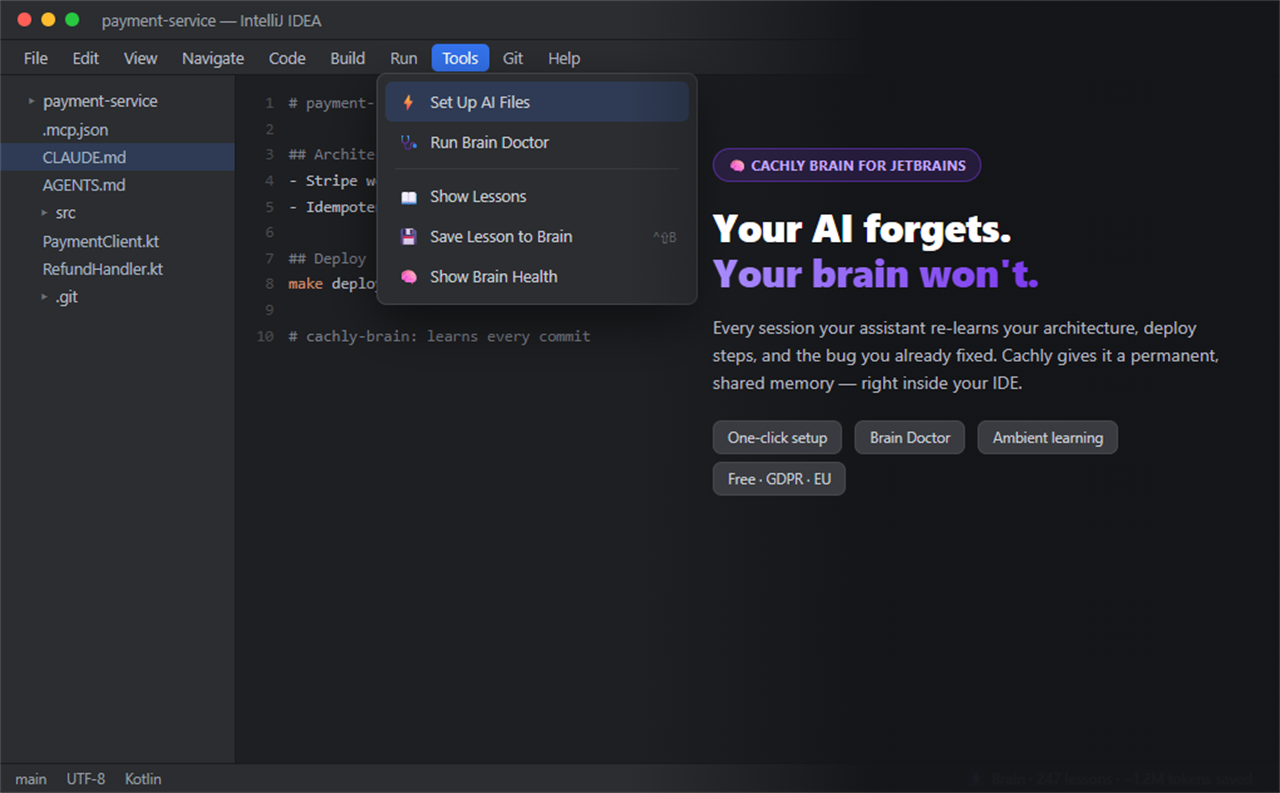
Features
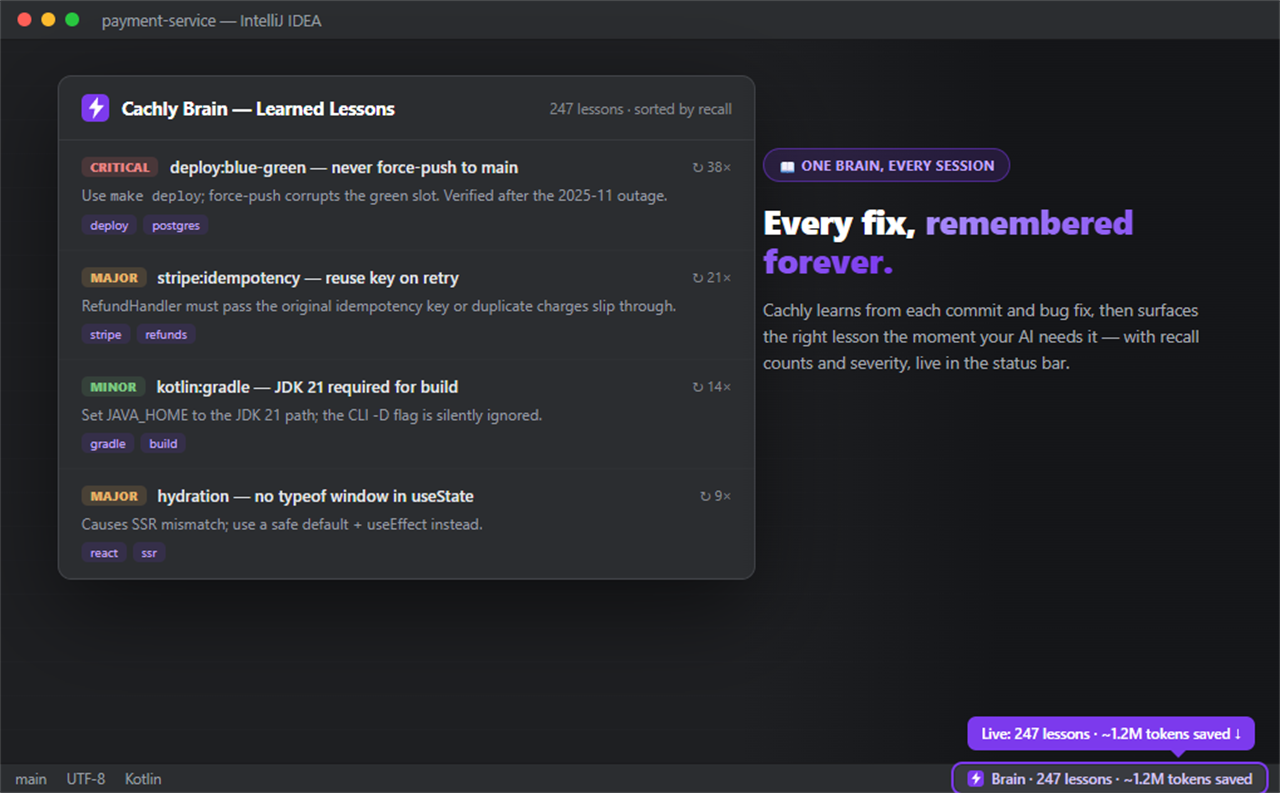
- Status Bar Widget — live lesson count
- Health Dialog — lesson table with recall counts and token savings
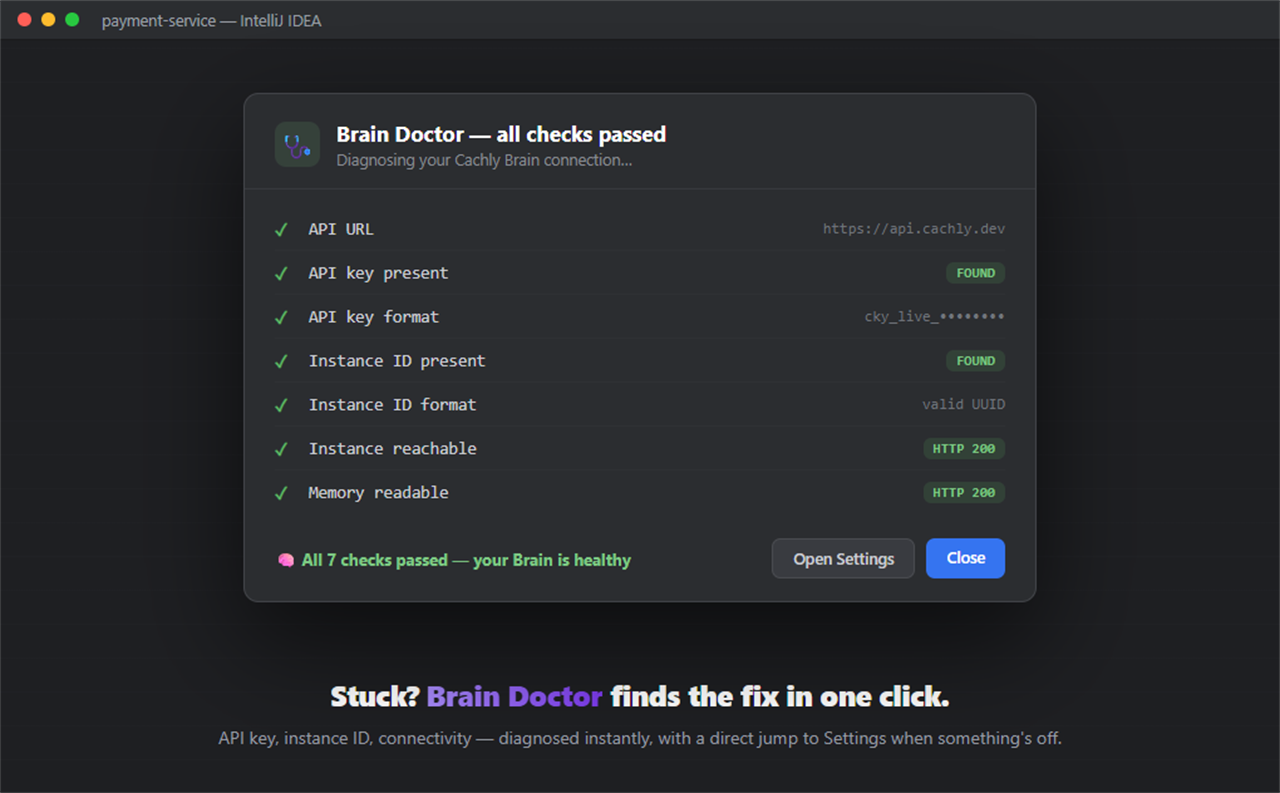
- Brain Doctor — one-click diagnostics for API key, instance ID, and connectivity
- Settings Panel — Tools → Cachly Brain
Setup
- Settings → Plugins → Marketplace → search “Cachly Brain” (or install from the web)
- Go to Settings → Tools → Cachly Brain
- Enter your API Key and Instance ID
- Run Tools → Run Brain Doctor to verify the connection
Build from Source
cd sdk/intellij
./gradlew buildPlugin
# Output: build/distributions/cachly-brain-intellij-0.3.0.zip
How Lessons Work
Lessons are created when an AI assistant (Copilot, Claude, Cursor, Windsurf) calls learn_from_attempts() via the Cachly MCP server.
Step 1
AI Learns
After fixing a bug, your AI calls learn_from_attempts() to store what worked.
Step 2
AI Recalls
Next session, recall_best_solution() returns the fix instantly — no re-research.
Step 3
You Save
~1,200 tokens per recall. Over time, thousands of dollars and hours saved.